 Mehtab Hussain
KINETIQ: a 3D e-bike website, built by prompting Claude
I directed Claude Code like a design team: I briefed it, answered its questions, gave it references and reviewed every build. In one day, with about two hours of hands-on prompting, that produced a working React and Three.js site with six 3D bikes you can take apart, light up and ride.
- Role
- Solo designer, directing Claude
- Built with
- Claude Code
- Stack
- React · Vite · Three.js
- Timeline
- One day · ≈2 h hands-on
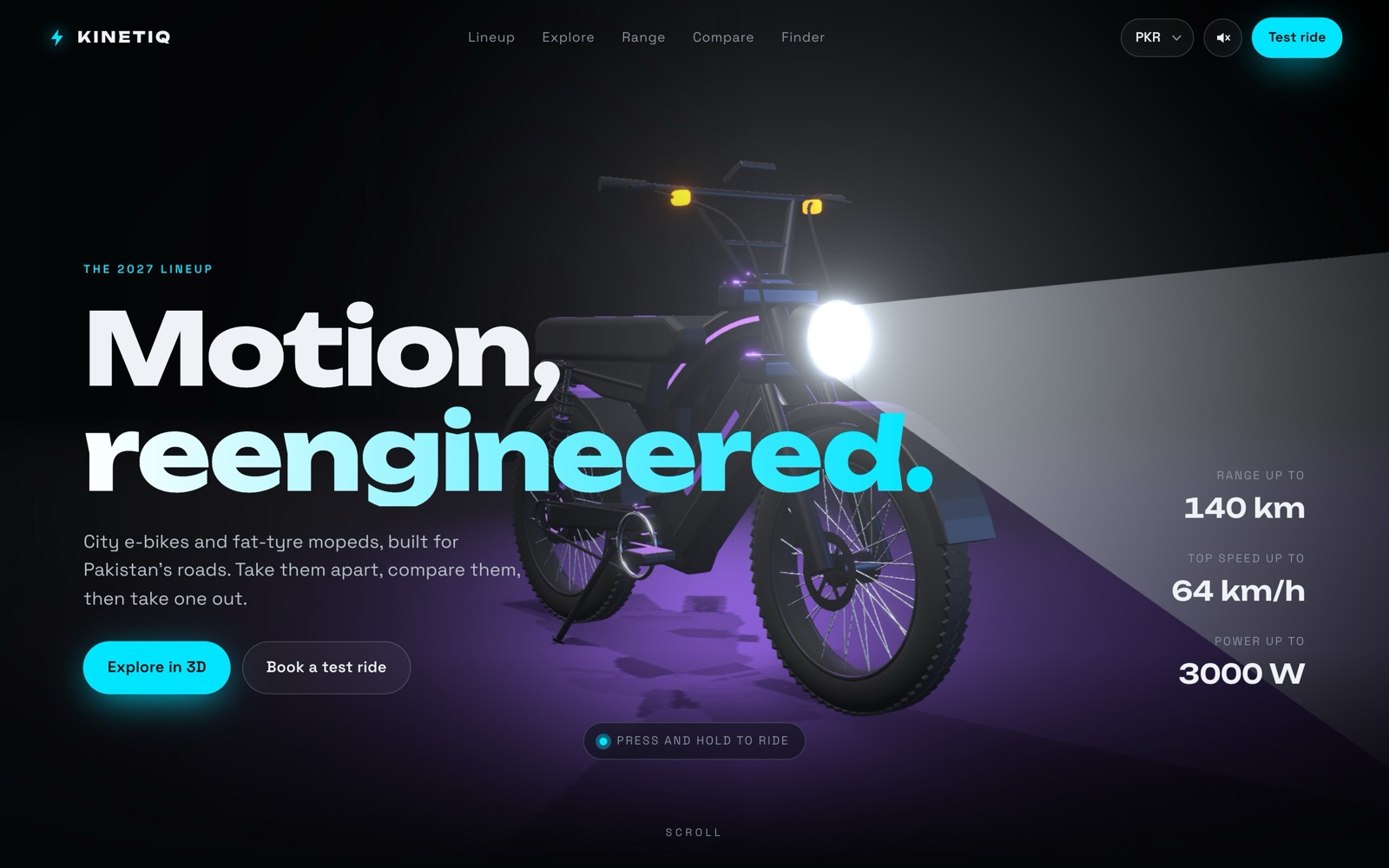
How far can a designer take a 3D product by directing AI?
KINETIQ is a fictional e-bike brand for Pakistan’s roads. I used it to test how far clear direction gets you when Claude writes all of the code.
A product showcase for six e-bikes, with real-time 3D, a range calculator, a compare table, a bike finder quiz and test-ride booking. Bold and playful, but believable as a real product, not a template.
- Brief, scope and every product decision
- Reference images and visual direction
- Design review after every build
- Motion, lighting and interaction details
- Discovery questions before any code
- React, Three.js and CSS, about 5,000 lines
- Bikes modelled in code, sounds made in code
- Checking each build in a browser
Six habits that turned prompts into product decisions.
These are my actual prompts. I tidied the spelling but kept the wording. None of them are long; they work because each one does a single, clear job.
Let Claude ask before it builds.
I didn’t write a long spec. I asked Claude to interview me one question at a time, so each requirement got a decision before any code existed.
My first promptI want to create a website for e-bike which have multiple variants. For design an interactive website ask me questions 1 by 1 which you require.
Use references in place of adjectives.
Words like “realistic” or “premium” mean something different to everyone. A photo or a product folder leaves no room for that.
With a reference photoYes, real models of e-bikes, just like the attached image.
With a folder of product shotsIn the attached folder I have added a few product pictures. Can you update the products on the website just like them, but in a 3D look?
Name the flaw and why it breaks the illusion.
The first bikes looked stylish, but an e-bike without a battery isn’t believable. Pointing to the missing part fixed realism across all six models.
Review noteThe bike you used, where are the batteries? Is it a realistic 3D model? I think not.
Describe how it works in the real world.
I didn’t talk about shaders or cone angles. I described where a real headlight’s beam starts and how wide it is, and Claude worked out the 3D maths.
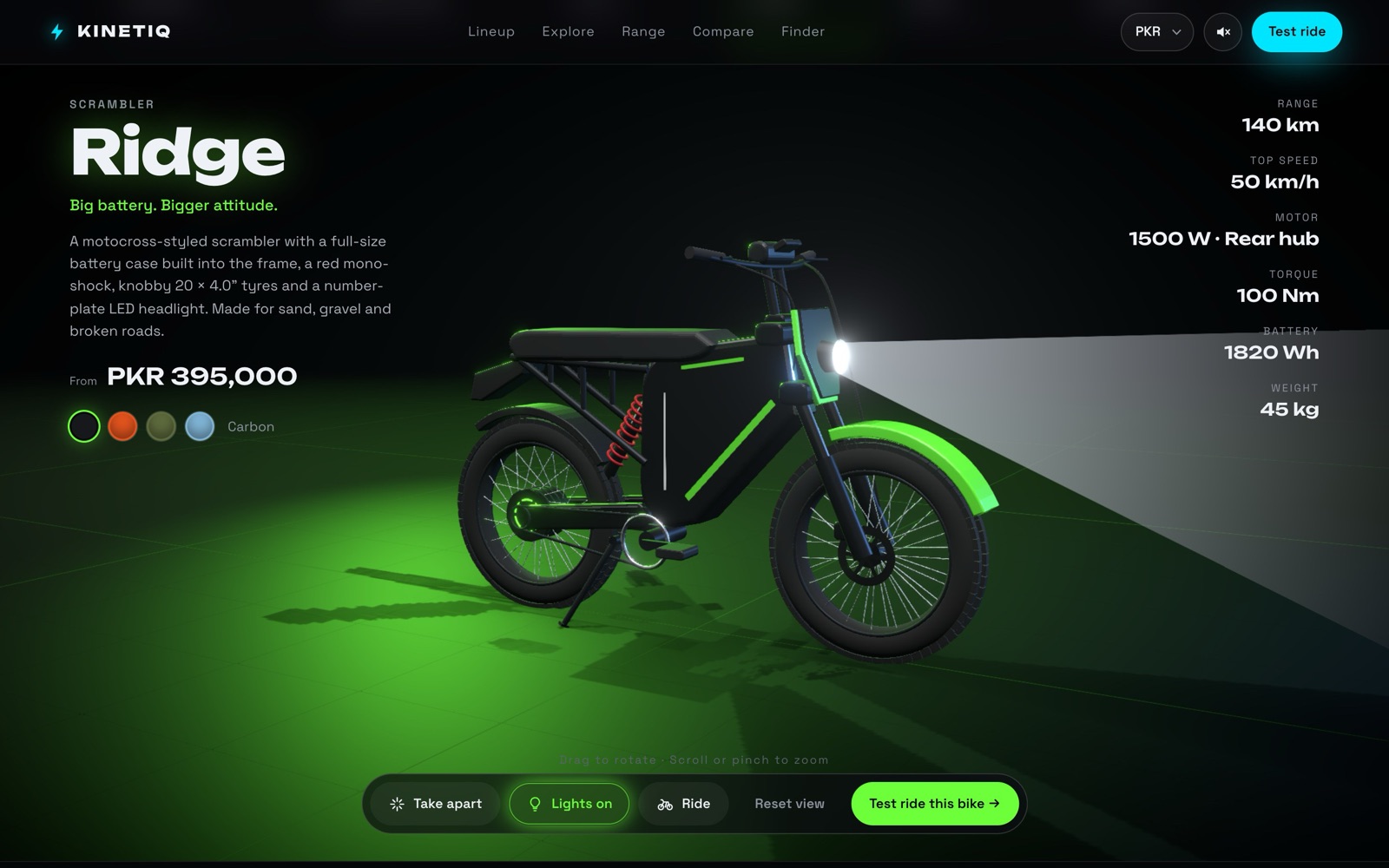
Lighting fixThe light beam does not come from the light. The light beam comes from the front wheel tyre.
Follow-upThe light’s starting output point is narrow. I think it should be approximately the light’s diameter.
Describe the animation as a sequence.
Small, ordered beats are easier to build and check than “make it feel alive”. Each beat became its own piece of behaviour.
Ride modeWhen the ride starts, the stand of the e-bike should go up.
SpeedometerWhen the ride starts, show the speed going up gradually, and when the ride stops it gradually comes down.
Report bugs with a recording.
“It flickers” is hard to act on. A screen recording showed exactly when and where the header animation stuttered.
With a screen recordingCheck this video. The header animation is not running properly in the header and in the 02 — Explorer section.
13 questions before a line of code.
Claude ran the kickoff workshop and I made the calls. These are the key answers, and they became the spec it built against.
From neon toy to believable product.
The first build worked on the first try but didn’t look real. Each review round fixed one thing: realism, then likeness, then the details.
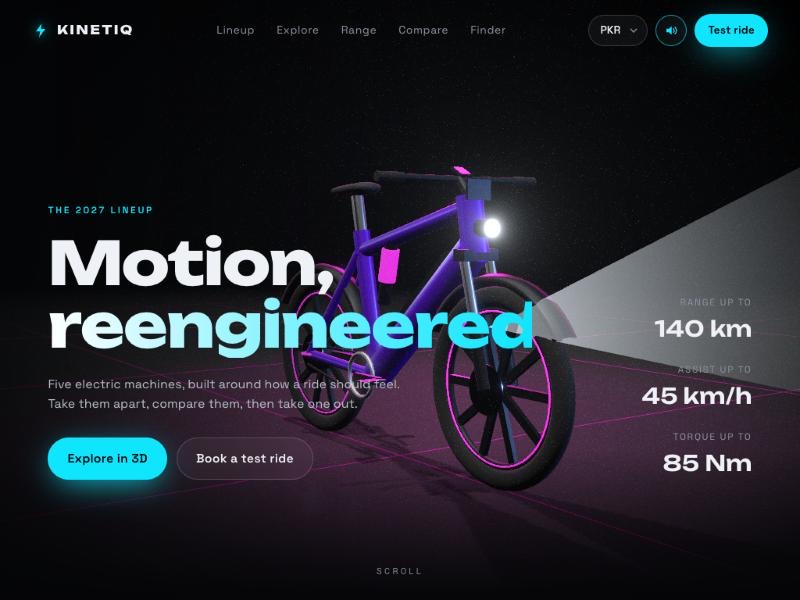
First build: all six sections working, but the bikes were stylised and had no batteries.
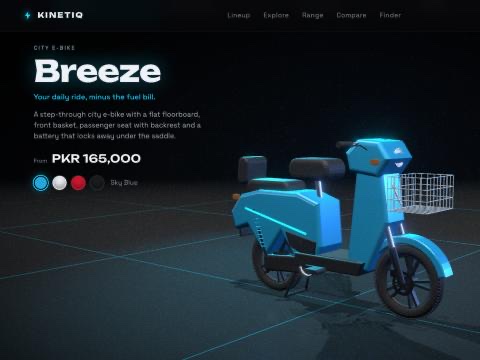
After the reference photos: real proportions, fat tyres, visible batteries and baskets.
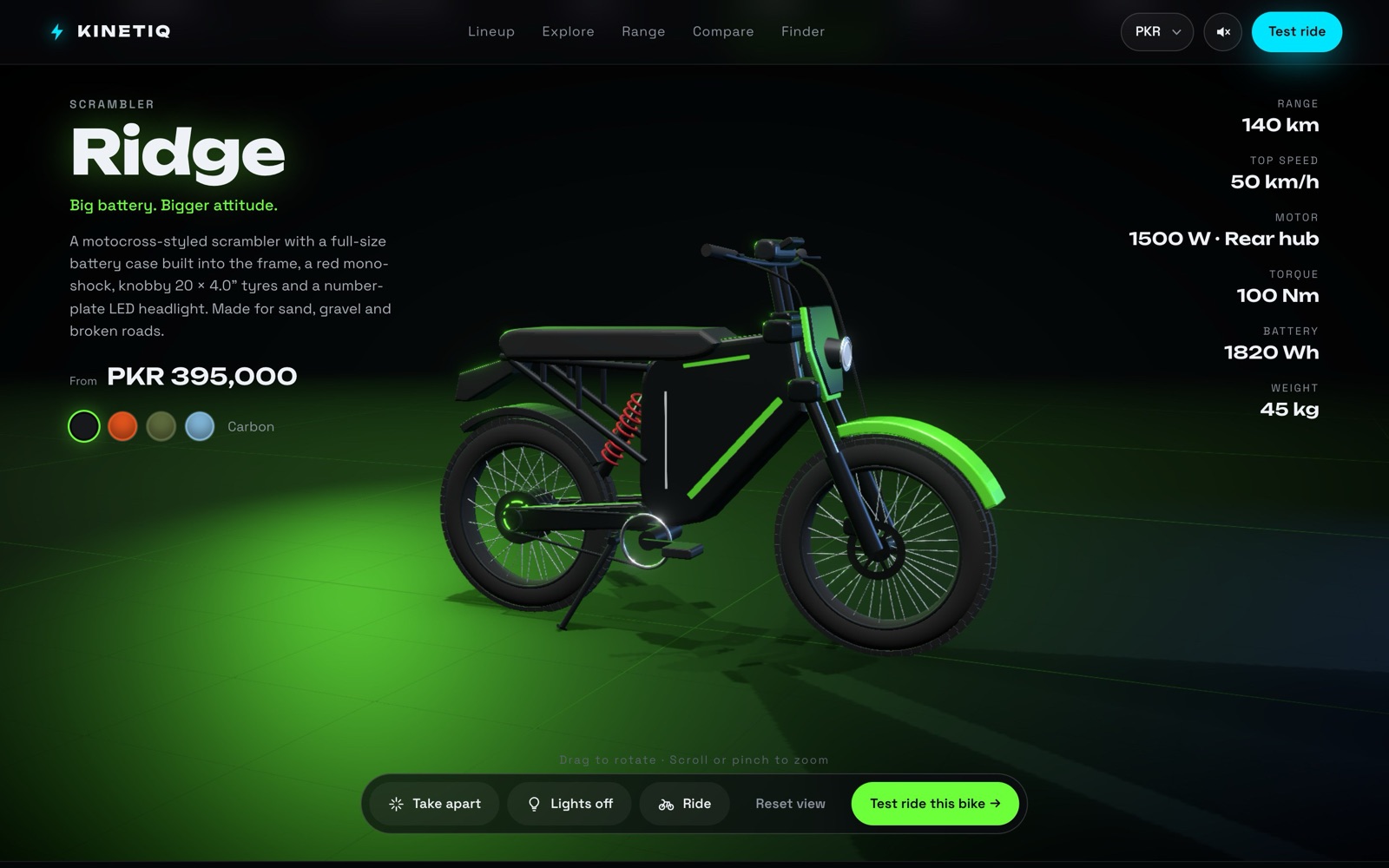
Rebuilt from the product photos, with tuned lighting, ride physics and sound.
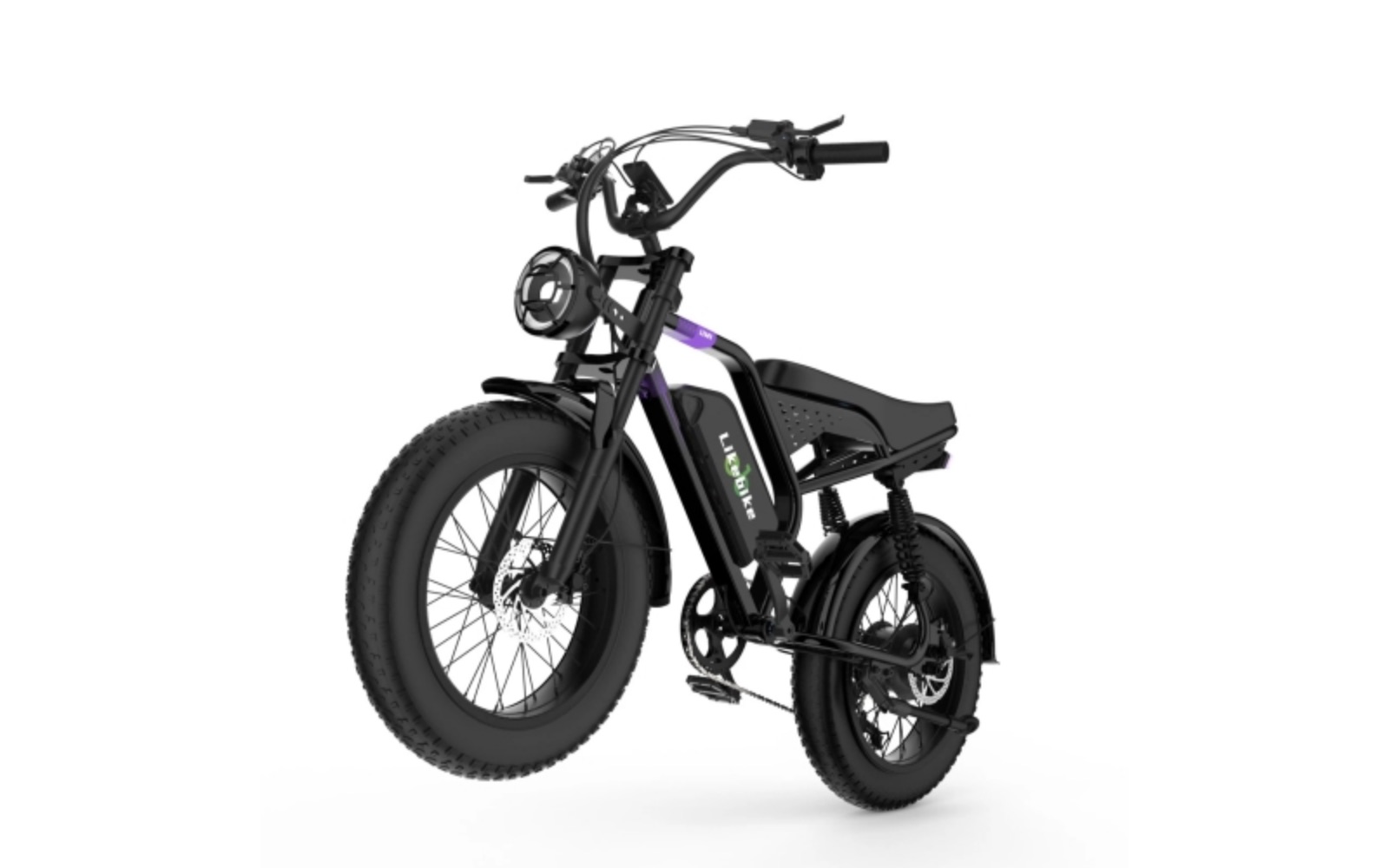
It checked that the code ran. Whether it looked real was my call.
Claude tested every build in a browser before handing it back. None of these problems showed up as errors, so each one needed a designer to spot it.
E-bikes with no batteries.
The first six bikes rendered cleanly and passed Claude’s own checks, but none had a battery. A reference photo fixed it.
Two models still looked fake.
After the realism pass, Breeze and Breeze Max still looked like toys. They needed a second, targeted review.
A bug that came back.
The header animation jerked and flickered. A written report wasn’t enough, so I sent a screen recording that showed exactly where it happened.
Light from the wrong place.
The headlight beam started at the front tyre and was too narrow. It took two notes to get its origin and width right.
Every prompt, in order.
Fifteen messages over one day. Times are local. Most prompts are one sentence, and the quality came from the review loop, not from long prompts.
Show all 15 prompts
I want to create a website for e-bike which have multiple variants. For design an interactive website ask me questions 1 by 1 which you require.
Started the discovery interview.Yes, start. One question: do I need Vercel and Git for this?
Approved the plan and checked the setup I’d need.The bike you used, where are the batteries? Is it a realistic 3D model? I think not.
First design review: the models needed to be believable.Yes, real models of e-bikes, just like the attached image.
Added a reference photo.Make this type of model. It is an example.
Added a second reference.Breeze and Breeze Max are not looking real. Add a realistic feel.
Targeted review of two models.In the header the animation is not running properly; it jerks and flickers.
Performance bug report.In the attached folder I have added a few product pictures. Can you update the products on the website just like them, but in a 3D look?
Rebuilt the line-up from real product photos.Check this video. The header animation is not running properly in the header and in the 02 — Explorer section.
Bug report backed by a screen recording.The light beam does not come from the light. The light beam comes from the front wheel tyre.
Lighting accuracy.The light’s starting output point is narrow. I think it should be approximately the light’s diameter.
Beam shape refinement.02 — Explorer: when the ride starts, the stand of the e-bike should go up.
Ride animation detail.When the ride starts, show the speed going up gradually, and when the ride stops it gradually comes down.
Speedometer easing.In the header, if we press the mouse the e-bike starts running.
Press-and-hold to ride in the hero.01 — The lineup: the product images are not good. Can you update them?
Final polish of the line-up cards.
Take it apart. Light it up. Ride it.
The 3D explorer is the heart of the site. Lights on, then Ride: the stand lifts, the wheels spin and the speedometer climbs, then eases back down when you stop.
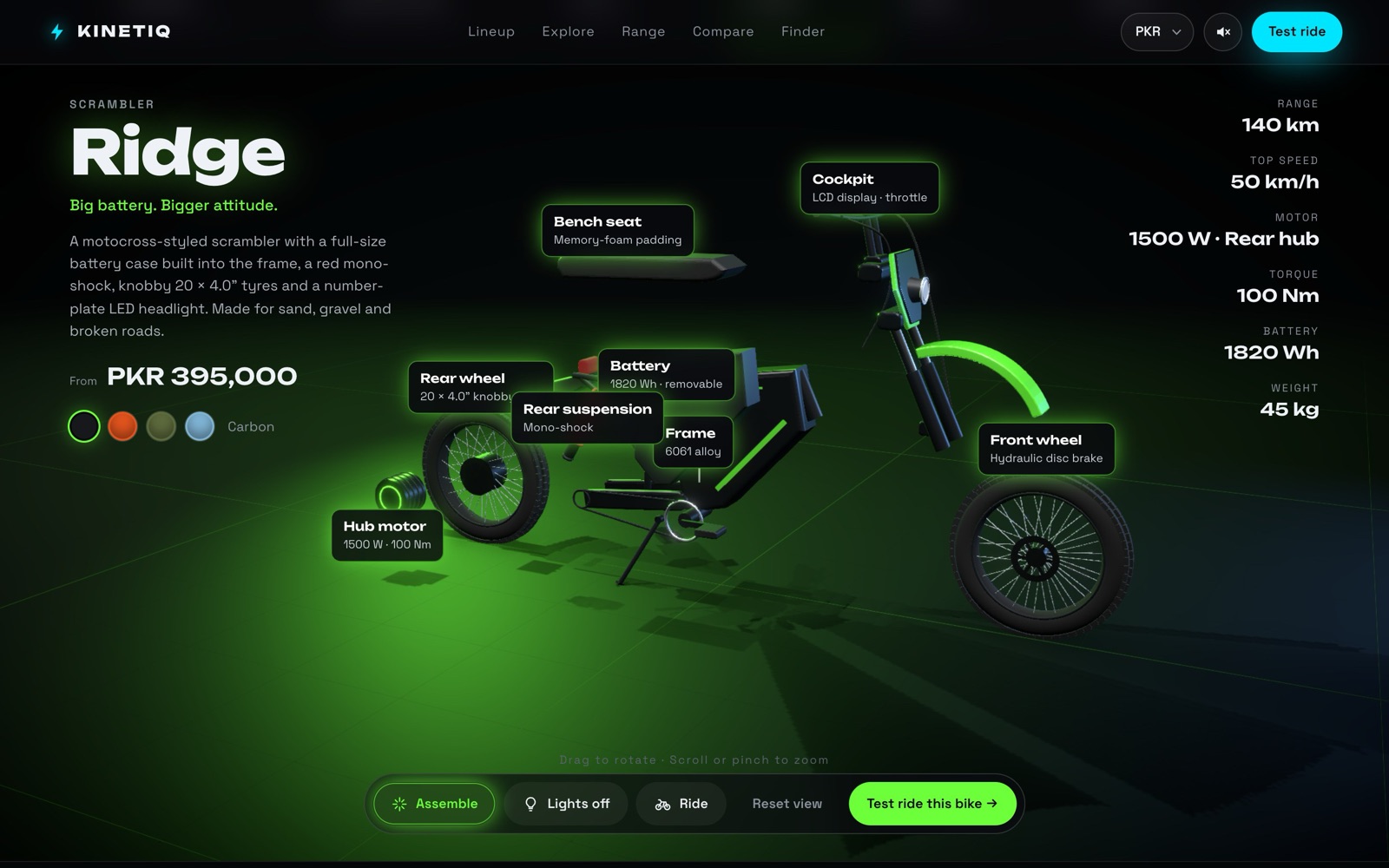
An exploded view with labelled parts.
Take apart spreads the bike into its main parts, each labelled with its spec: hub motor, battery, frame, suspension, wheels and cockpit. Drag to rotate, scroll to zoom.
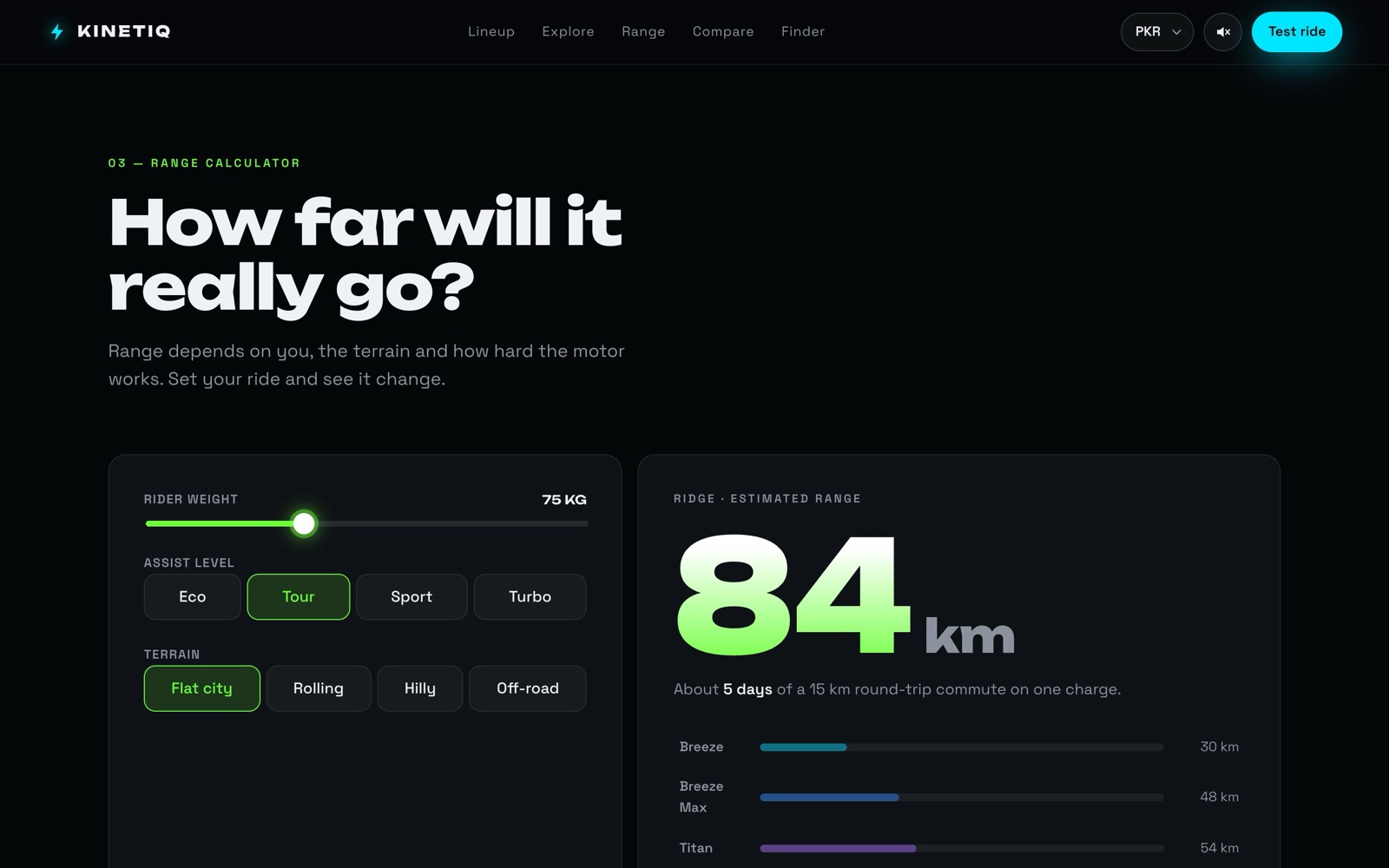
Range you can actually expect.
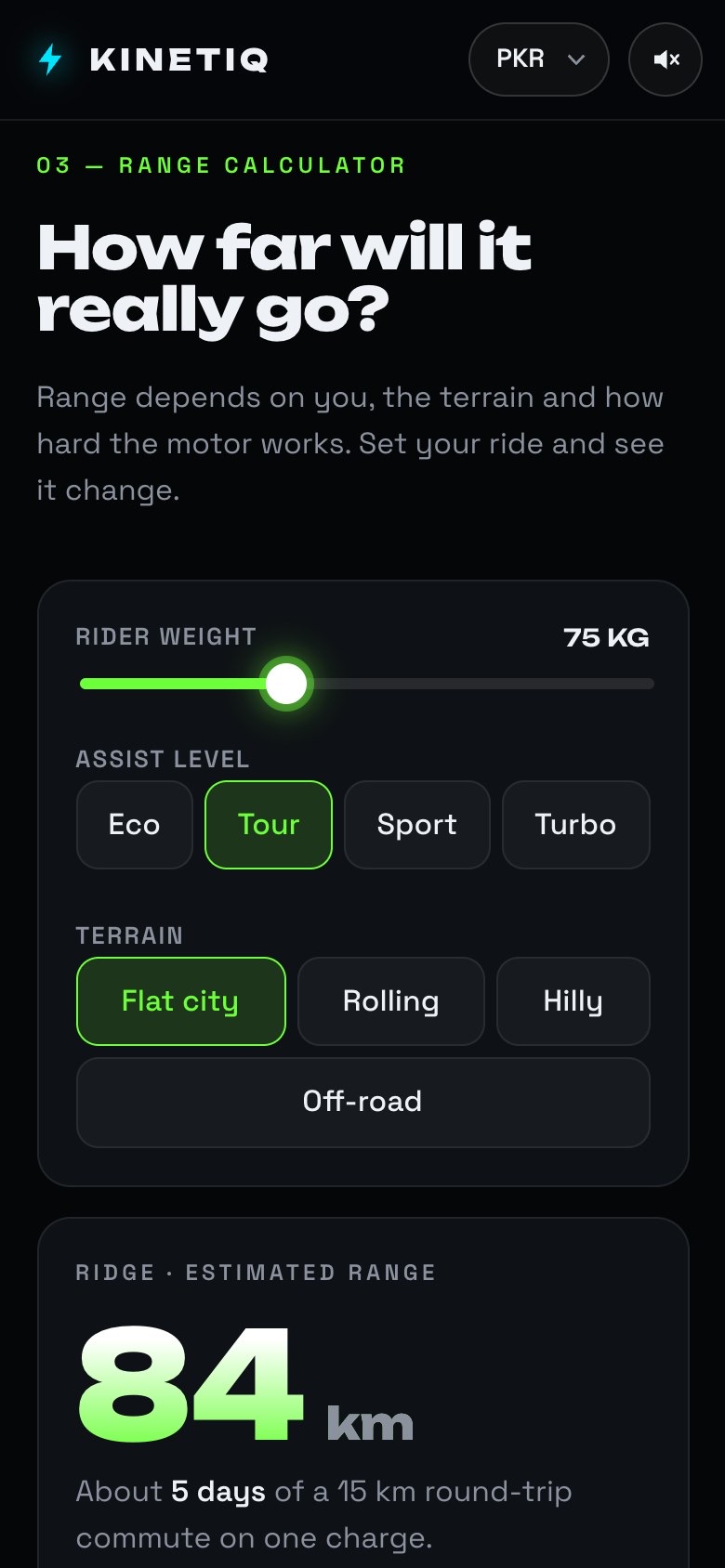
Rider weight, assist level and terrain update the estimate live and turn it into everyday terms: days of commuting per charge, with every bike compared.
The same site on a phone.
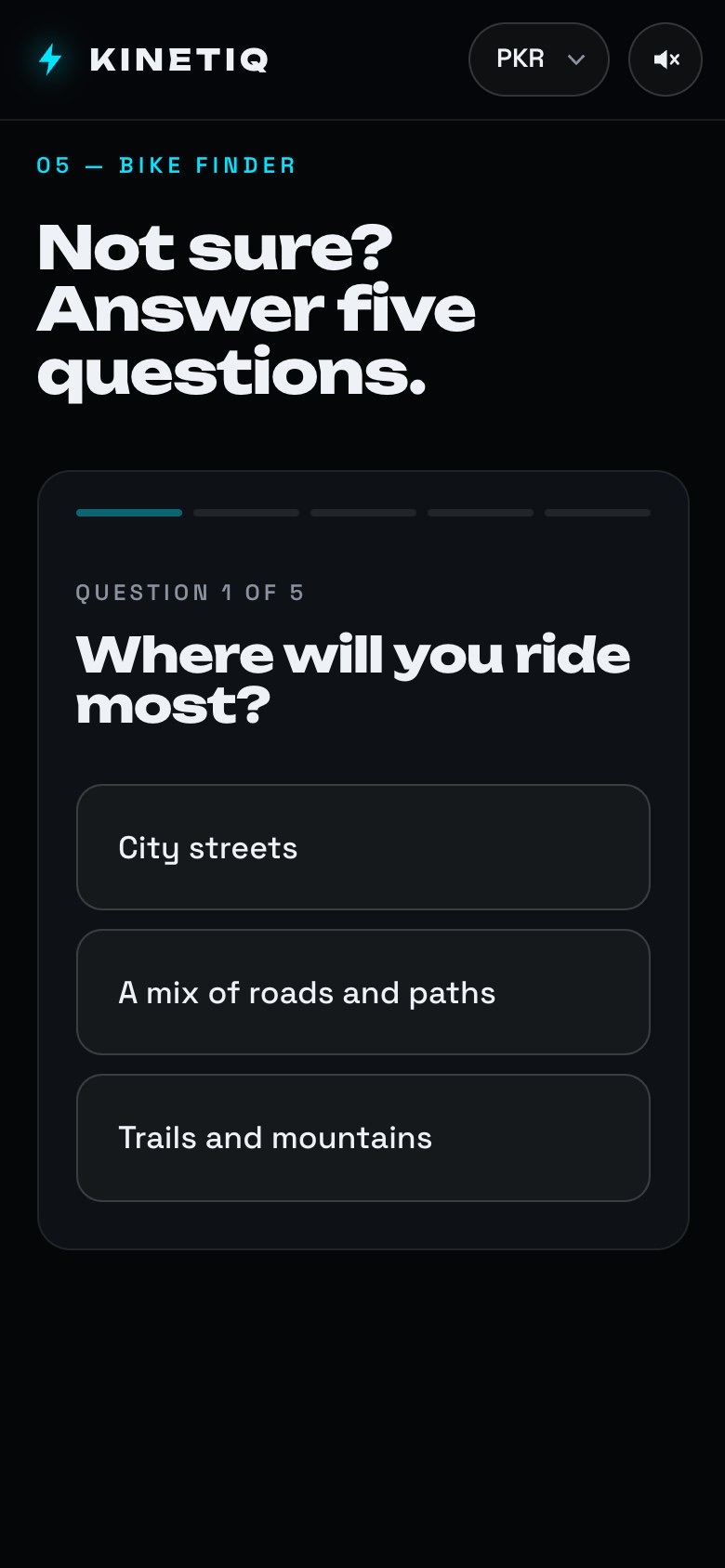
Every section stacks to one column. The bike picker scrolls sideways, the price and colours sit above the 3D model, and the calculator controls are big enough to tap.
Open it on your phone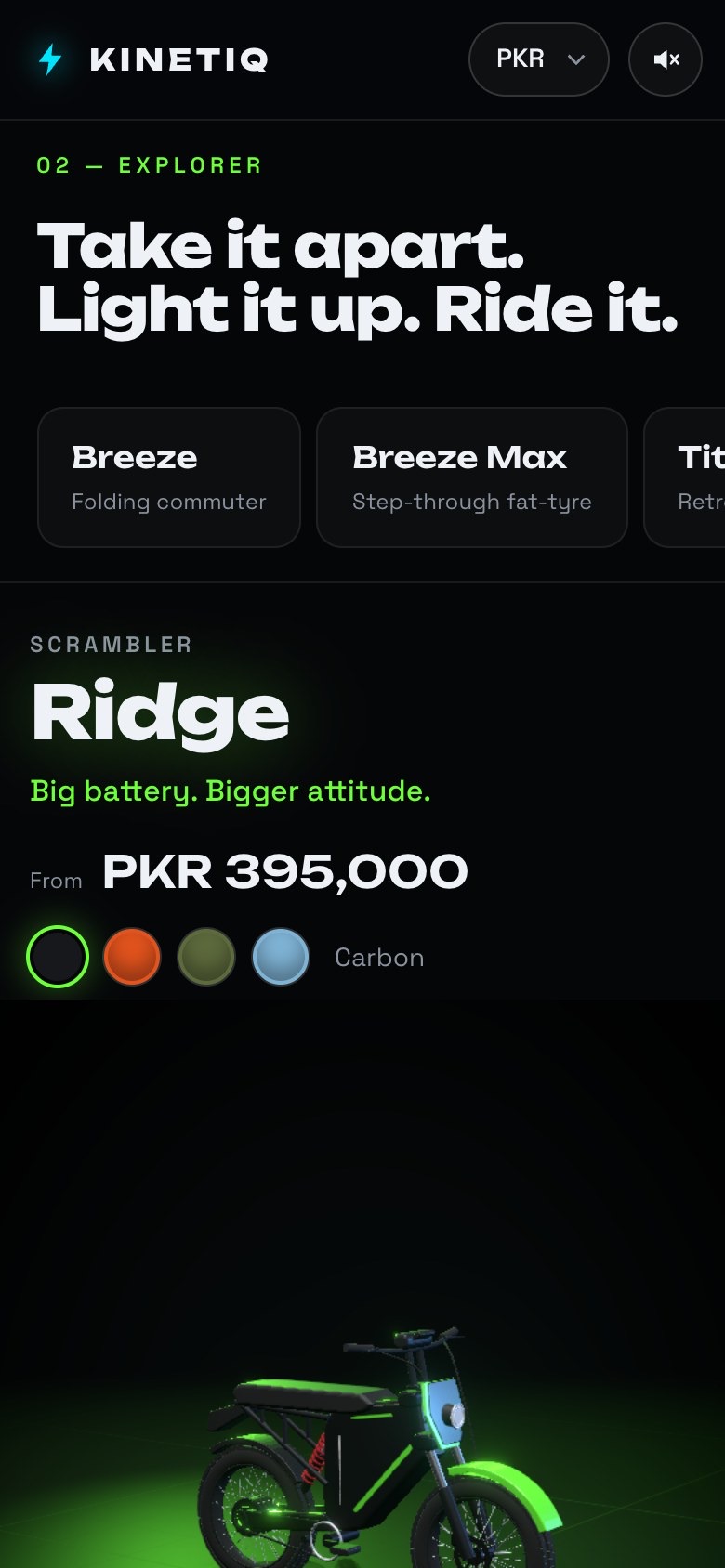
One cinematic scroll, seven sections.
Real code, not a mock-up.
It’s a real Vite project, and the production build runs on this site. Claude chose the stack after I picked “Vite + React” in discovery.
React Three Fiber
Three.js through React, with drei helpers and post-processing for glow. The bikes are built from code, not from model files.
Web Audio API
Motor hum, clicks and the light switch are all made in code, so the site ships no audio files.
React 19 + Vite
29 source files, about 5,000 lines: sections, a shared store, a currency switch and scroll reveals.
Browser-checked
Claude opened each build in a browser, took screenshots and fixed what it found before handing it back to me.
AI writes the code. Design judgement still sets the bar.
Ask to be asked.
Thirteen questions up front cost a few minutes and saved hours of rework. It’s the same reason we run a kickoff.
References beat adjectives.
The biggest jump in quality came from one folder of product photos, not from a better-written prompt.
Review like a design lead.
Short, specific notes about what feels wrong and why moved the work further than any long instruction did.
“It runs” isn’t “it’s right”.
Claude was good at checking its own code and blind to what looked wrong. Taste, realism and feel still need a person.