Mehtab Hussain
Enterprise Product
Transformation
Case study with an AI-assisted design methodology
transforms complex wholesale finance processes into connected enterprise experiences
About Product
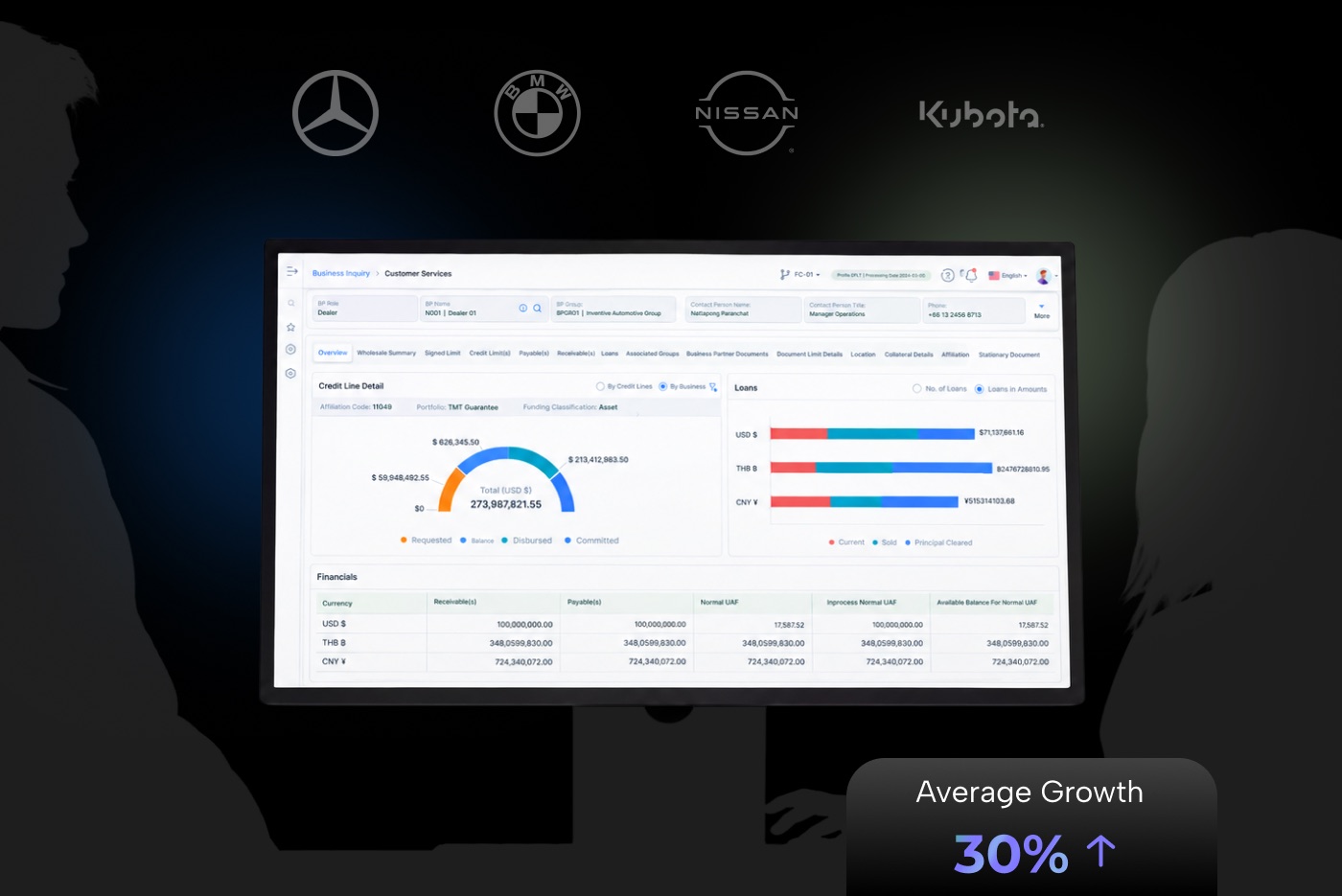
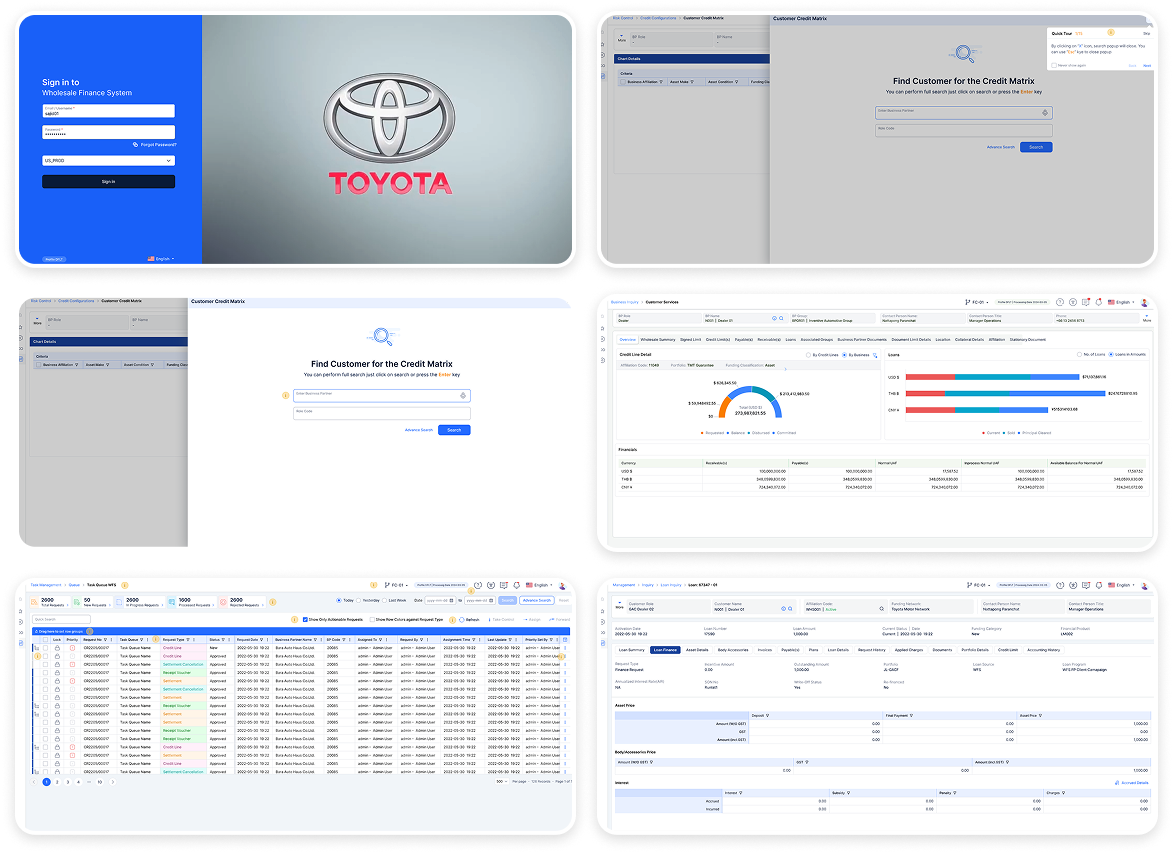
I transformed a legacy desktop-based retail and wholesale finance application into a modern web-based enterprise experience. The work focused on improving interface usability, simplifying complex finance workflows, connecting the needs of dealers, customers, OEMs and lenders, and exploring AI-assisted decision support using ChatGPT.
From workflow challenges to
Smart Solutions
Business Problem
The existing desktop experience required modernization to better support complex financing operations and evolving enterprise usability expectations. The challenge was to improve the experience without disrupting established business rules and critical finance workflows.
Problem
Users needed a clearer way to navigate financing information, understand task status, complete multi-step workflows, and locate relevant details across the application.
My role and AI toolkit
I led: design decisions, workflow prioritization, interface design, components, prototypes, design-system implementation and design review, where applicable.
ChatGPT supported: requirement interpretation, structured analysis, alternative concepts, synthesis, critique, and documentation.
I verified: outputs against the source requirements, approved business rules, design conventions, and available evidence.
Human-led
AI-Assisted design process
Existing Product Evidence
Legacy screens, requirements, business rules, and existing workflows.
 Product
Evidence
 AI
Analysis
ChatGPT-Assisted Analysis
Understand, audit, synthesize, and explore.
Designer-Led Decisions
Prioritize, map workflows, design, and prototype.
 Designer
Decisions
 Verify &
Refine
Verification & Refinement
Check requirements, audit usability, and validate with users or stakeholders.
User Research & Discovery
Understanding the users behind the legacy experience
Platform modernization
Move the existing desktop application to a web-based experience that better supports users working on smaller screens.
Workflow improvement
Address the existing application’s poor user flows and make complex finance tasks easier to navigate.
UX and UI enhancement
Replace outdated interface patterns with a more consistent, usable, and modern design aligned with established design practices.
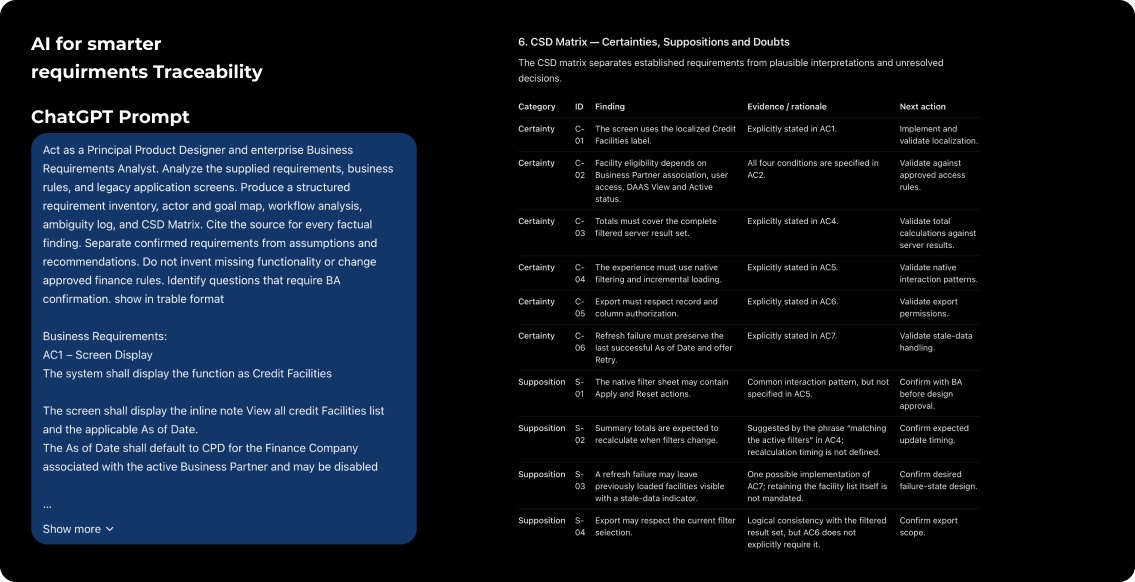
CSD Matrix
Certainties
We know or understand that...
Suppositions
We suppose that...
Doubts
We have doubts about...
UX Empathy Map - Enterprise Finance Users
Target audience: Enterprise finance users aged 30–60 who navigate financial information, manage business workflows, review transactions, and complete finance-related tasks through an enterprise application.

What do theyThink?
How do theyFeel?


What do theyDo?
What do theyHear?


What do theySay?
What do theySee?

Pains
Fears, frustrations and obstacles
Gains
Needs, goals and motivations
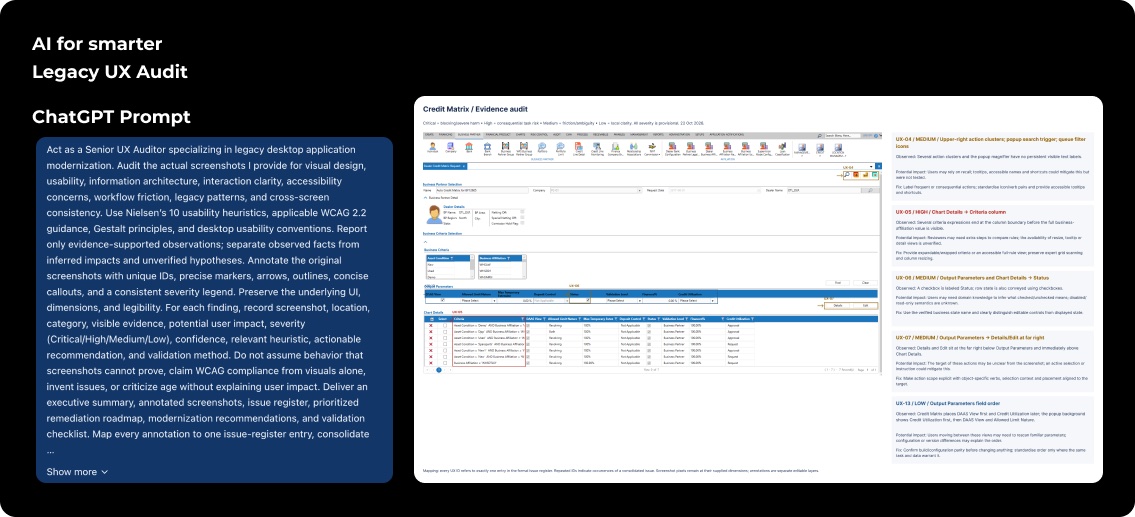
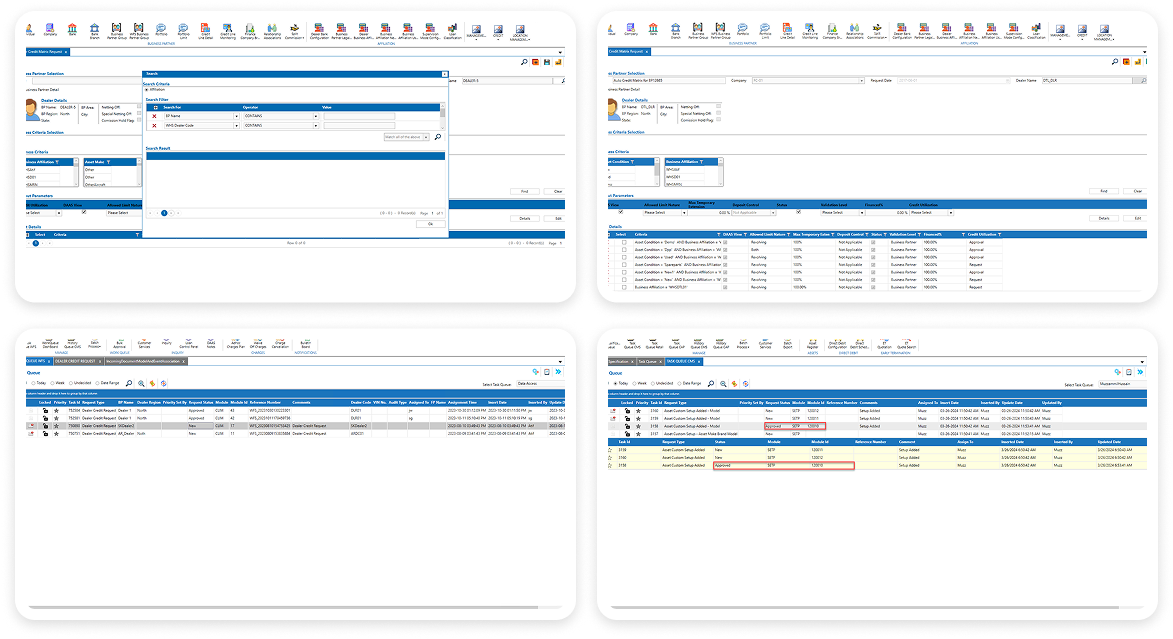
Legacy UX Audit
The first step of understanding Enterprise Product software was to audit the existing system and get a solid grasp of what we were starting with. This is where open, honest, collaborative communication was critical. I worked closely with the team to deconstruct their legacy menus, identify key user flows, and uncover the underlying logic of the system.
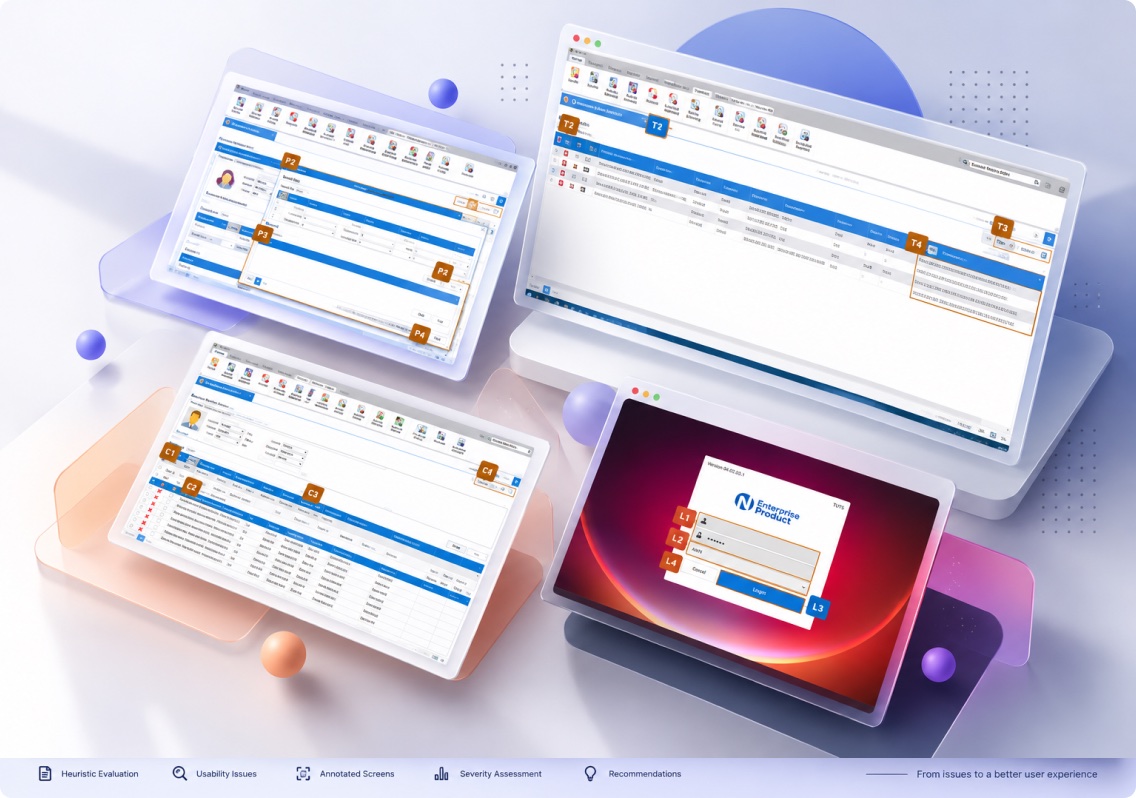
During Discovery & Design
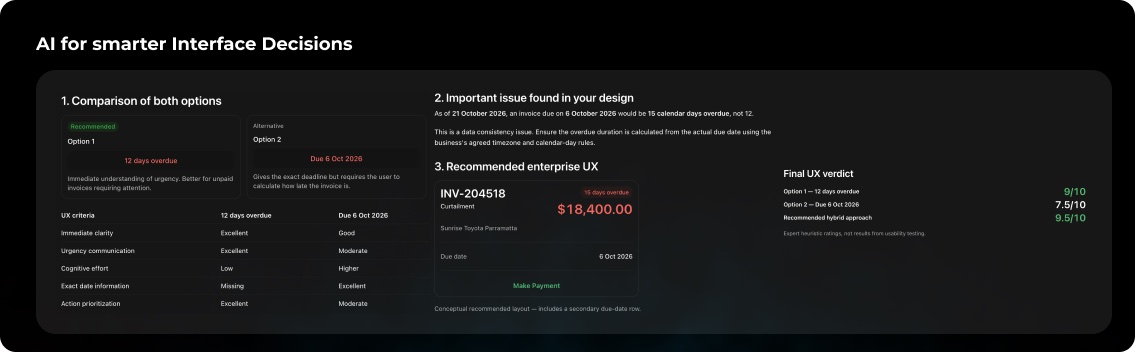
How I used ChatGPT
Discovery: Understand the business before designing
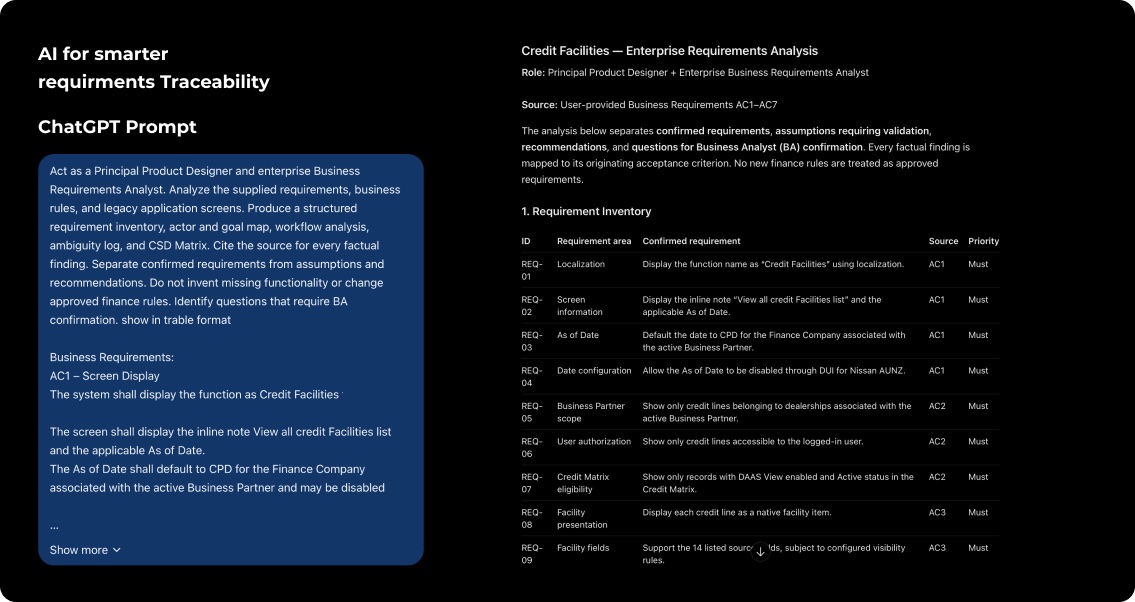
- Organize supplied business requirements into a structured inventory.
- Separate confirmed facts, assumptions, and unanswered questions.
- Identify ambiguities and dependencies that need Business Analyst (BA) clarification.
- Help map known actors, tasks, decisions, and exceptions.
Define: Turn evidence into a clear design problem
- Business problem
- User problem
- Design opportunity
- Experience principles
- Constraints and unanswered questions
Ideation: Explore workflow and information architecture options
- Navigation and information architecture.
- Data-dense financial tables and summary information.
- Search, filters, sorting, and record details, where supported by requirements.
- Responsive layouts for smaller screens.
- Form design, validation, error recovery, and confirmation patterns.
Design: Translate the chosen direction into interface decisions
- Screen-level content hierarchy.
- Interaction and state definitions.
- UX writing alternatives.
- Form validation and error-state scenarios.
- Responsive behavior specifications.
- Design-system consistency checklists.
Validation: Challenge the design before release
- Usability issues
- Accessibility issues
- Responsive-layout problems
- Content and terminology inconsistencies
- Design-system inconsistencies
Reflection: Show the human-in-the-loop approach
- Suggestions aligned with verified requirements, user evidence, and design-system conventions.
- Ideas needing adjustments to fit workflow, terminology, or technical constraints.
- Unsupported functionality, invented rules, unverified assumptions, and conflicting recommendations.
- Decisions validated against source requirements, BA input, design standards, accessibility criteria, and available test evidence.
Legacy User Interface
New User Interface
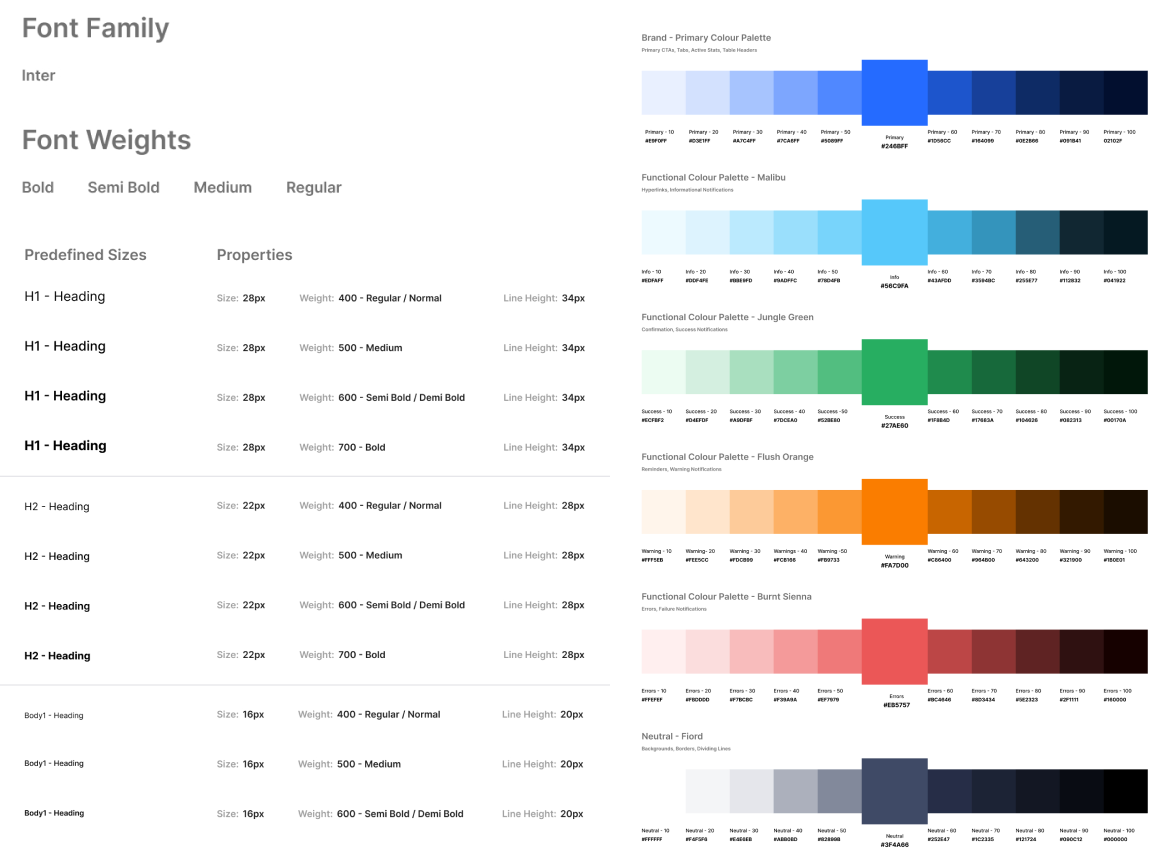
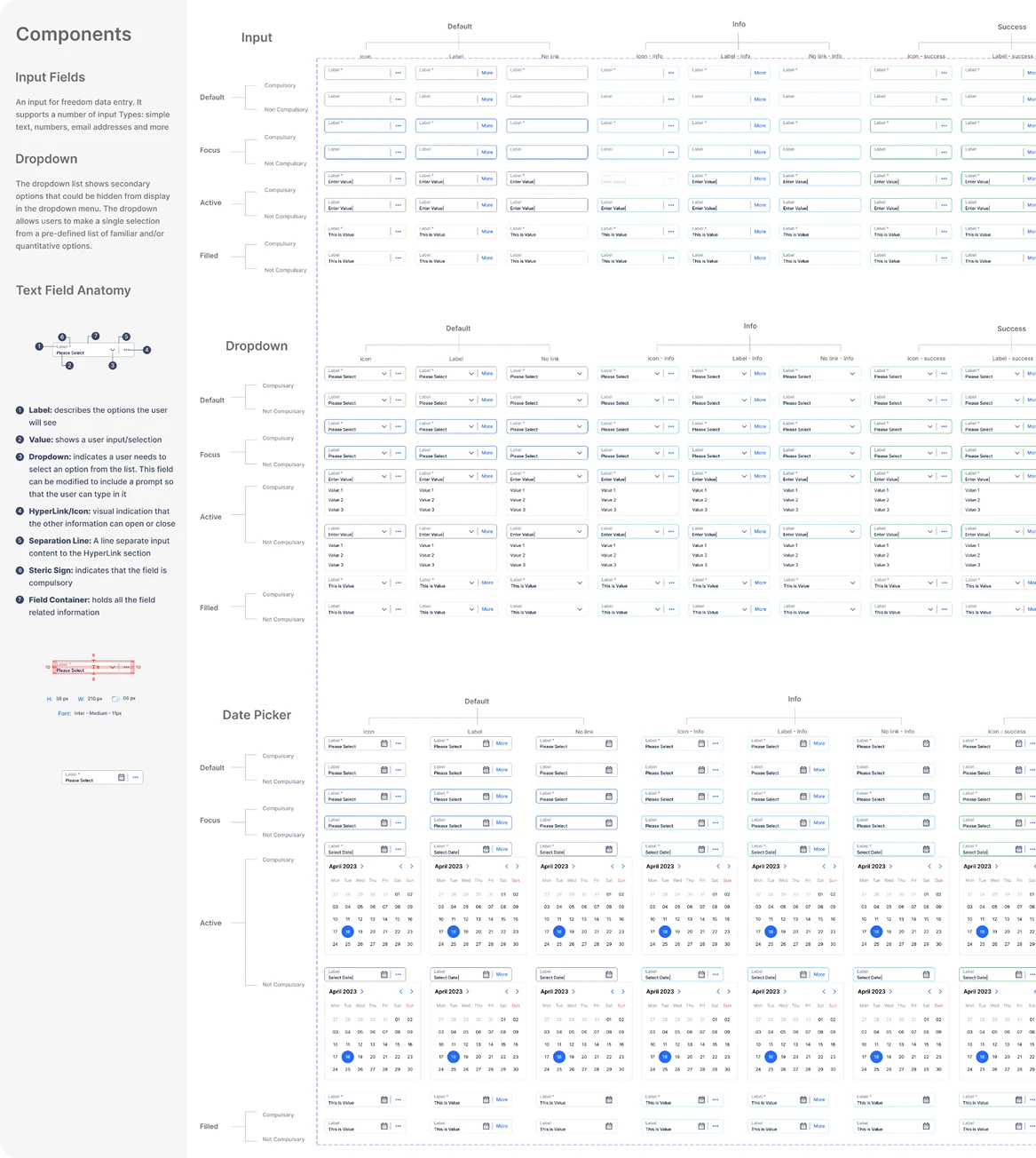
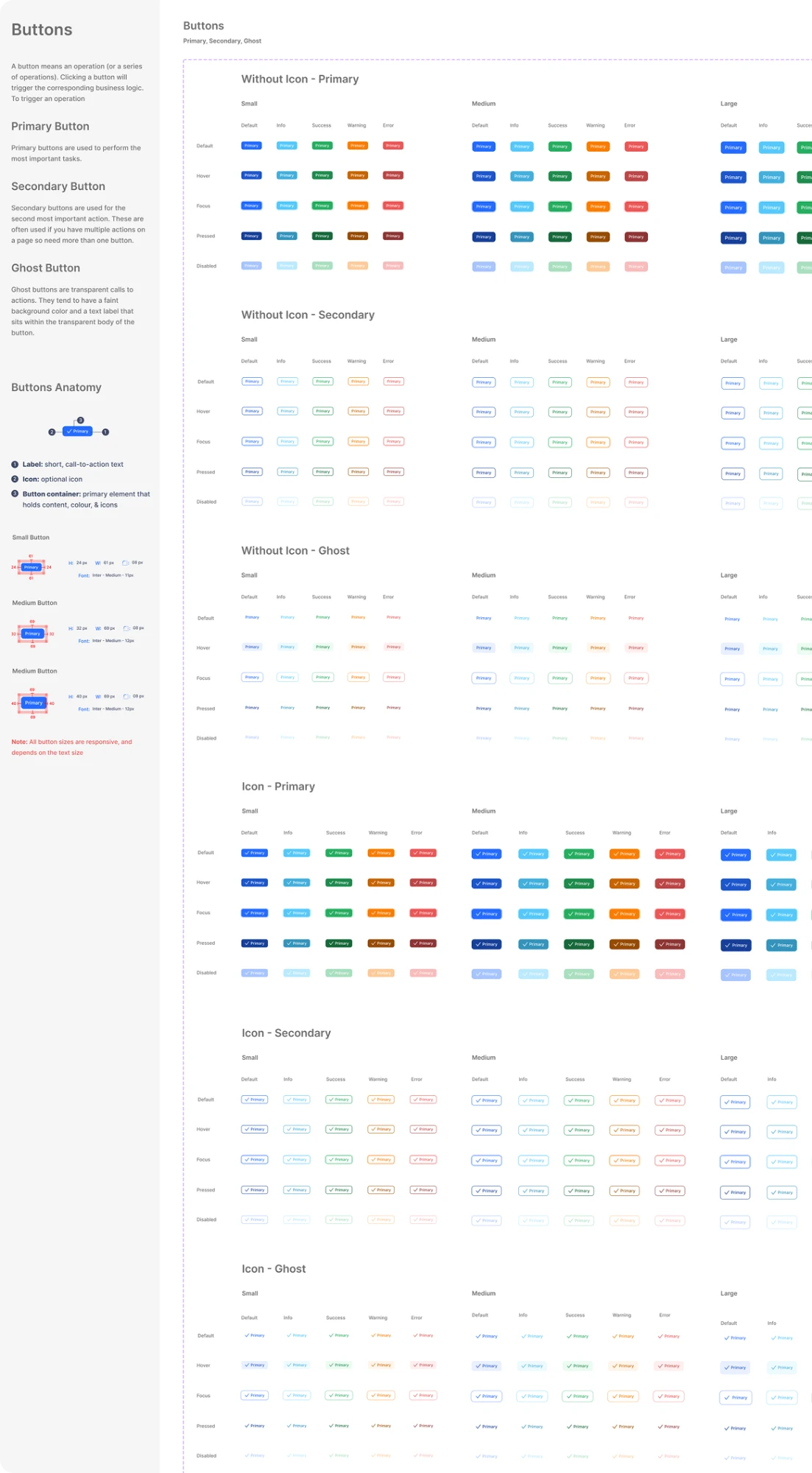
Design System
High-quality Figma components for faster project setup and maintenance